Fast quote tips · 5 min read
How to Get a Faster Fire Clearance Quote With Photos and Your Address
What to photograph, what details to include, and how address-based satellite review helps a FireReduct estimator respond faster.
What matters first
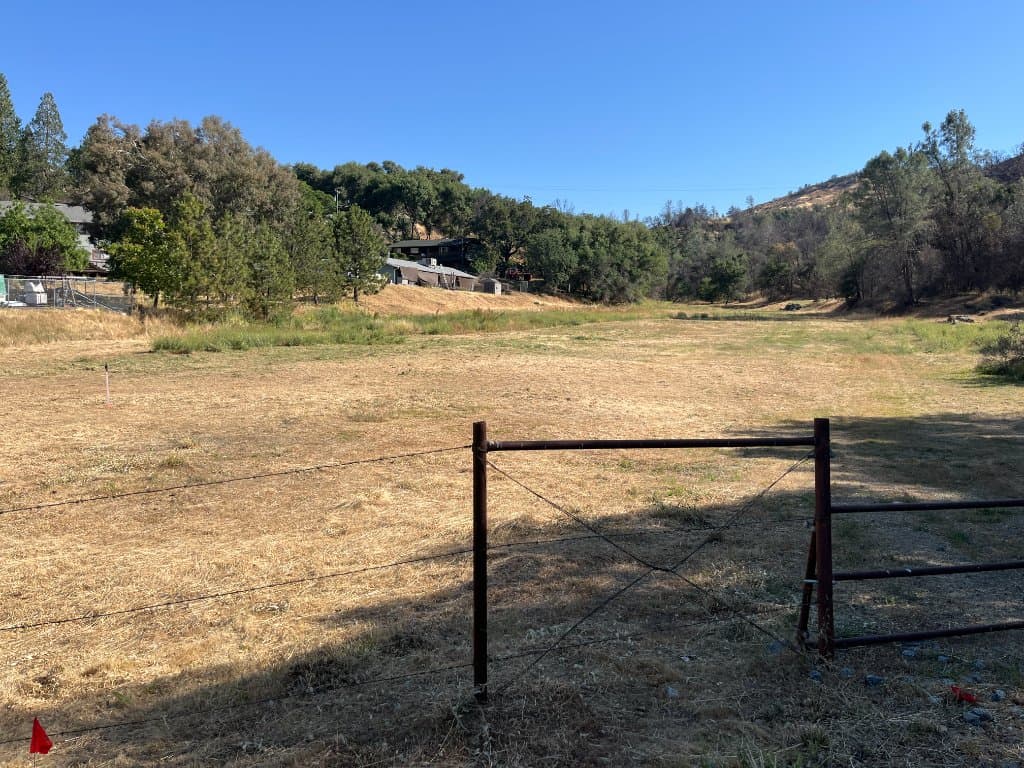
- Take wide photos before closeups so the estimator understands context.
- Show access, gates, driveway width, slope, structures, and brush density.
- Upload any fire, insurance, county, or HOA notice with the photos.
- Call if the deadline is same-week or urgent.
Take photos like an estimator would walk the job
Start at the driveway or main access point, then photograph the path to the work area, the structure perimeter, the densest brush, steep areas, and debris or haul-away concerns.
Wide-angle shots are often more useful than closeups alone because they show scale, access, and equipment constraints.
Pair the photos with the address
The address lets the team review service area, route context, terrain clues, and satellite imagery when available. That does not replace a site visit, but it helps the estimator ask sharper questions and avoid wasted back-and-forth.
If the satellite preview is unavailable, the request can still move forward from manual address entry and uploaded photos.
Include the deadline and the reason
A fire notice, insurance deadline, inspection prep, or emergency request should be stated clearly. Urgency changes the next action, scheduling path, and the amount of detail needed before the crew can respond.
Common questions
How many photos should I upload?
Upload enough to show access, the work area, vegetation density, structures, slope, and any notice. Five to ten useful photos is usually better than one closeup.
What if I do not have photos yet?
You can start with the address and contact details, then upload photos later or call the team directly.
Can I upload a notice or insurance letter?
Yes. Uploading the notice helps the estimator understand the requested work and deadline.